


Blog
What Are VST Plugins? A Complete 2026 Beginner’s Guide

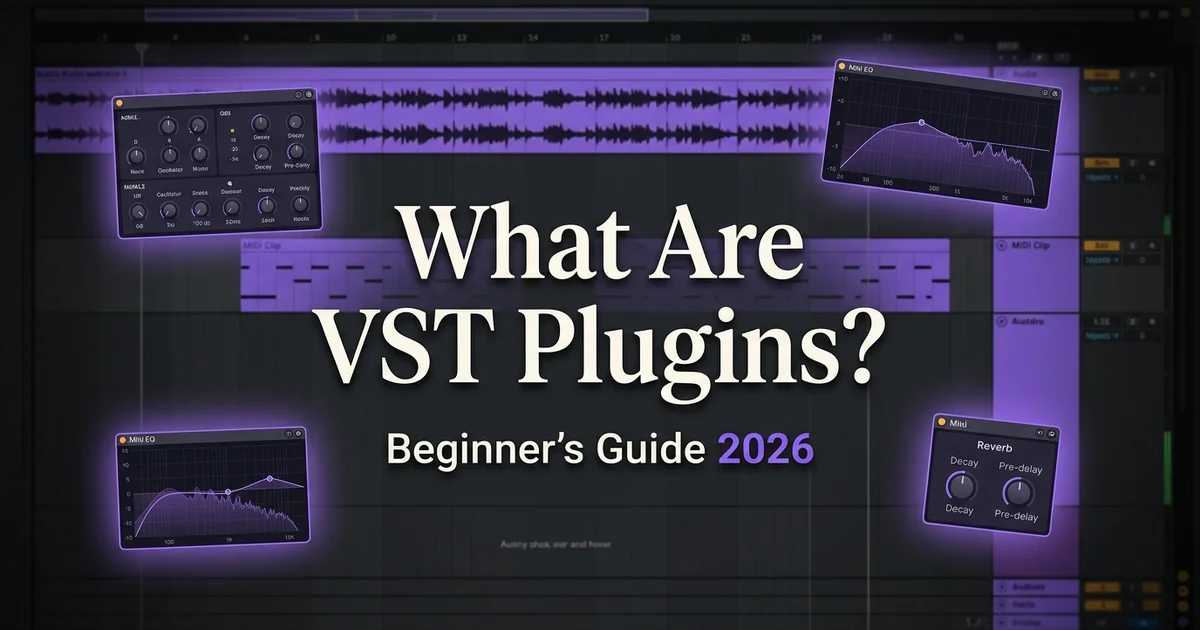
What are VST plugins? VST plugins are software instruments and effects that run inside your Digital Audio Workstation (DAW) — the program you make music in. Virtual Studio Technology is the format Steinberg released in 1996 so developers could write instruments and effects that work in any compatible DAW: FL Studio, Ableton Live, Logic Pro, Cubase, Studio One, Pro Tools and Reaper. This guide covers the three plugin types, how to use and install them, and what I’d buy first as a new producer.
By Alex from VST Vault · Last updated 8 July 2026
Table of Contents
What are VST plugins, exactly?
A VST plugin is software that adds an instrument or an effect to your DAW. Instrument plugins produce sound — synthesisers, sampled pianos, drum machines, guitar libraries. Effect plugins process existing sound — reverb, EQ, compression, distortion, delay, pitch correction.
You’ll meet four plug-in formats along the way:
- VST3 — the current cross-platform standard; buy this format by default
- VST2 — the classic format, officially retired but still readable by many DAWs
- AU (Audio Units) — Apple’s own format, used by Logic Pro on Mac
- AAX — Avid’s format for Pro Tools
Most professional plugins ship as VST3, AU and AAX together, so one purchase works in every major DAW — that’s true of everything sold at VST Vault.
The three types of VST plugins
Every plugin you’ll ever load falls into one of three families: synths, samplers, effects.
Synths (virtual instruments)
Software synthesisers produce sound from scratch. Wavetable synths like Xfer Serum 2 generate sound from wavetable oscillators, analogue emulations like u-he Diva model Minimoog and Roland Jupiter circuits, and cinematic flagships like Spectrasonics Omnisphere 3 combine several synthesis types. Our best VST synth plugins guide ranks sixteen of them.

Sample libraries and samplers
Sample libraries load recorded audio into a sampler engine. Native Instruments Kontakt 8 is the platform that runs orchestral libraries like the Symphony Series Collection, choirs like Choir Omnia, and thousands of third-party libraries from Spitfire Audio, 8Dio and others.

Effect plugins
Effects process audio. Mixing effects include EQ (FabFilter Pro-Q 4), compression (Pro-C 3) and reverb (Pro-R 2 and the Valhalla catalogue). Vocal effects include pitch correction (Auto-Tune Pro 11) and full vocal chains (iZotope Nectar 4). Creative effects include the 23-plugin Soundtoys 5.5 Collection and distortion like iZotope Trash.

How to use VST plugins in your DAW
Every DAW follows the same concept: insert an instrument plugin on a MIDI track to play notes, or insert an effect plugin on any track to process its audio. The clicks differ slightly:
In FL Studio
Open the Channel Rack, click Add → More plugins → pick your instrument. For effects, open the Mixer and insert into a slot on the channel you want to process.
In Ableton Live
Drag instruments from the Browser onto a MIDI track; drag effects onto any track. The workflow is identical in Live 11 and Live 12.
In Logic Pro
Create a Software Instrument track, click the Instrument slot in the channel strip, pick your plugin. Effects go in the Audio FX slots on any channel.
In Cubase
Add an Instrument track via Project → Add Track, and insert effects from each channel’s Inserts section. The workflow is unchanged across recent Cubase Pro versions.
How to install VST plugins
Nearly every professional plugin installs the same way:
- Download the installer (.exe on Windows, .pkg or .dmg on Mac)
- Run it and follow the prompts
- The installer places VST3 files in the standard location (Windows: C:\Program Files\Common Files\VST3 — Mac: /Library/Audio/Plug-Ins/VST3)
- Restart your DAW
- Rescan plugins if your DAW doesn’t detect them automatically
For step-by-step instructions per DAW, read our full VST installation guide — and the preset installation guide once you start collecting sounds.
What plugins should you buy first?
In my experience the right first purchase is one instrument that fits your genre plus one or two mixing tools — not a giant folder of everything. By genre:
Electronic music (trap, dubstep, EDM, pop)
- Xfer Serum 2 — the wavetable synth every preset pack targets
- FabFilter Pro-Q 4 — the mixing EQ standard
- Valhalla VintageVerb — 22 modes of vintage reverb character
Hip-hop and trap
- Serum 2 — 808 basses and melodic hooks
- Auto-Tune Pro 11 — the classic snap effect
- NI Battery 4 — drum programming
Cinematic and film music
- Omnisphere 3 — cinematic sound design
- Symphony Essentials — compact full orchestra
- Choir Omnia — 40-singer choir
Pop, R&B and songwriting
- NI Noire — Nils Frahm’s cinematic piano
- iZotope Nectar 4 — the vocal production suite
- Session Strings Pro 2 — pop strings with the Animator
Bundles vs individual plugins
The rule of three: if you’d buy three or more plugins from one developer, that developer’s bundle costs less. The big ones:
- FabFilter Total Bundle — all 14 FabFilter mixing and mastering plug-ins
- Valhalla DSP Bundle — all 10 Valhalla reverbs and delays
- Soundtoys 5.5 Complete — 23 creative effects
- iZotope MPS 9 — 30+ mixing, mastering and vocal plug-ins
- Komplete 26 CE — 160+ Native Instruments products, 1.6 TB
My honest advice for a first-year producer: skip the mega-bundles. Buy the three tools your genre needs, learn them properly, and let the bundle purchase wait until you know which developer’s workflow you love.
Frequently asked questions
What are VST plugins used for?
Making and shaping sound inside a DAW: playing software instruments (synths, pianos, orchestras, drums) and processing audio (EQ, compression, reverb, pitch correction). Practically every modern record you hear was made with them.
What DAW should I use with VST plugins?
Every major DAW supports them. Popular picks: FL Studio 2025 for beats and electronic music, Ableton Live 12 for electronic and hybrid workflows, Logic Pro 12 for songwriting on Mac, and Cubase Pro 15 for orchestral and film scoring.
Are VST plugins better than a DAW’s built-in effects?
The honest answer: built-in effects are fine for demos. For finished releases, dedicated plugins like Pro-Q 4 and Auto-Tune Pro 11 deliver audibly better results — which is why working producers build a small professional set over time rather than buying everything at once.
Can I use free VST plugins?
Yes. Vital’s free tier is genuinely usable, Valhalla Supermassive is free forever, and plenty of professionals mix free tools with paid ones. Free plugins get you started; paid ones buy specific sonic character and workflow speed.
Do VST plugins work on Mac and Windows?
Most professional plugins ship for both — and every plugin sold at VST Vault includes Mac and Windows installers in the same purchase. Apple Silicon Macs (M1 through M5) run modern VST3 and AU plugins natively without Rosetta.
Ready to start?
Now that you know what are VST plugins and which family fits your music, browse the VST plugins collection at VST Vault — instant download after payment, Mac and Windows installers, prices in pounds. Our team replies within six hours by email or WhatsApp if you want a hand choosing your first set.


