


Blog
How to Install VST Plugins in Any DAW: Complete 2026 Guide

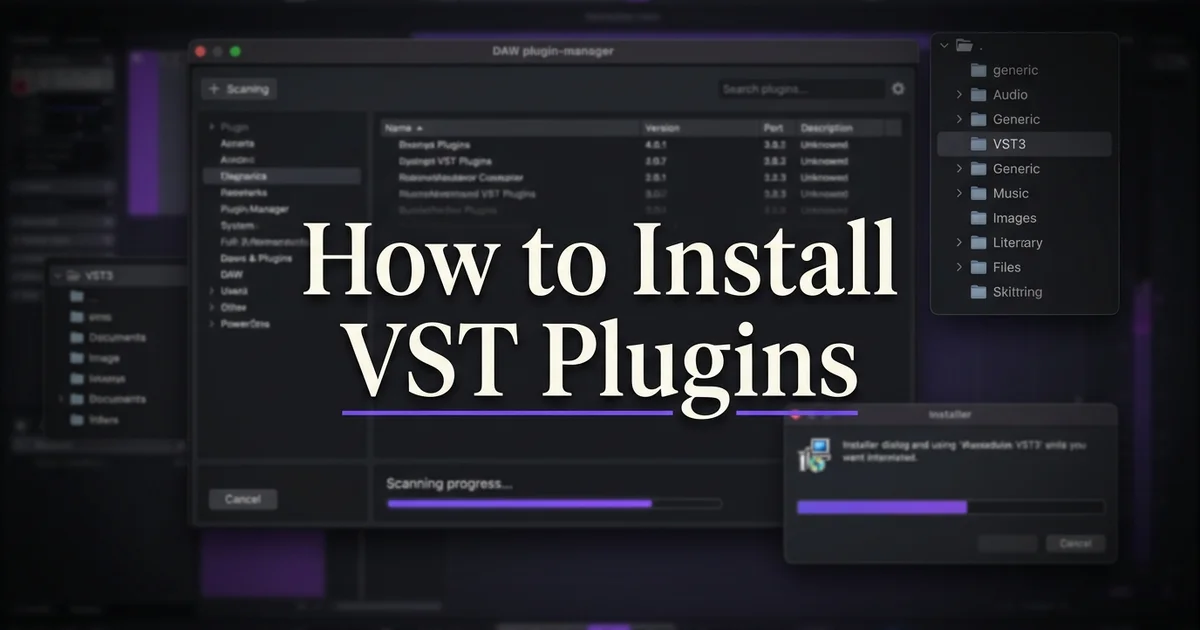
How to install VST plugins in FL Studio, Ableton Live, Logic Pro and Cubase: run the installer, let it place the files in the standard system folders, then rescan inside your DAW. That’s the whole job — and this guide walks every step per DAW, shows where the files live on Mac and Windows, and fixes the five problems I see producers hit most often.
By Alex from VST Vault · Last updated 8 July 2026
Table of Contents
The universal installation steps
Every VST plugin installs the same way, whichever DAW you run. Five steps:
- Download the installer (.exe on Windows, .pkg or .dmg on Mac)
- Run the installer and accept the prompts
- Let it place the plugin files in the standard system folders
- Open your DAW and rescan plugins
- Load the plugin on an instrument or effect track
Only the rescan step differs between DAWs — that’s what the per-DAW sections below cover.
Standard VST plugin locations
Since Steinberg defined the VST standard in 1996, plugin files have settled into fixed system folders. Know these two paths and most installation mysteries disappear:
Windows
- VST3: C:\Program Files\Common Files\VST3
- VST2 (legacy): C:\Program Files\VSTPlugins or C:\Program Files\Common Files\Steinberg\VstPlugins
Mac
- VST3: /Library/Audio/Plug-Ins/VST3
- VST2 (legacy): /Library/Audio/Plug-Ins/VST
- AU: /Library/Audio/Plug-Ins/Components
Modern installers use these locations automatically. If your DAW can’t see a plugin, checking that the files actually landed here is the first diagnostic step I take.
How to install VST plugins in FL Studio
FL Studio finds new plugins through its Manage Plugins scanner — one manual scan and you’re done. Works identically in FL Studio 21 and 2025:
- Install the plugin using its installer
- Open FL Studio 2025 or FL Studio 21
- Options → Manage Plugins → Find plugins
- Verify the scan paths include C:\Program Files\Common Files\VST3 (Windows) or /Library/Audio/Plug-Ins/VST3 (Mac)
- Click Start scan
- The plugin now appears under Add → More plugins
- Drag it to the Channel Rack (instruments) or Mixer (effects)

How to install VST plugins in Ableton Live
Ableton Live rescans automatically the moment you toggle a plug-in folder in Preferences. Identical workflow in Live 11 and Live 12:
- Install the plugin using its installer
- Open Ableton Live 12 Suite or Live 11 Suite
- Preferences → Plug-Ins
- Toggle Use VST3 Plug-In System Folders ON (and the Custom Folder on Windows if you use one)
- Live rescans automatically on the preference change
- Open the Browser → Plug-Ins tab and find the new plugin
- Drag it onto a MIDI track (instruments) or any track (effects)

How to install VST plugins in Logic Pro
Logic Pro is the exception: it loads AU (Audio Units) rather than VST3. In practice this changes nothing — professional installers place both formats — but it explains why a “VST3-only” freebie won’t show up in Logic.
- Install the plugin — the installer places both VST3 and AU files
- Open Logic Pro 12 or Logic Pro 11
- Logic validates new AU plugins automatically on launch
- If it misses one: Settings → Plug-in Manager → select the plugin → Reset & Rescan Selection
- Create a Software Instrument track
- Click the Instrument slot in the channel strip → AU Instruments → find the plugin

How to install VST plugins in Cubase
Cubase auto-scans the standard locations on launch and manages everything through its VST Plug-in Manager. Same workflow across Cubase Pro 13, 14 and 15:
- Install the plugin using its installer
- Open Cubase Pro 15, Cubase Pro 14 or Cubase Pro 13
- Studio → VST Plug-in Manager
- Verify the plugin appears in the list
- If it doesn’t: click the folder icon → Add path → point at your VST3 folder → Update to rescan
- Add an Instrument track from Project → Add Track
- Pick the plugin from the Instrument dropdown
Troubleshooting common installation problems
Five problems cover nearly every failed install we help with at VST Vault. In order of how often they come up:
The plugin doesn’t appear after install
Rescan the DAW’s plugin folders (per-DAW steps above). Still missing? Verify the files actually landed in the VST3 or AU folder — the odd installer defaults to a custom path.
Plugin loads but crashes the DAW
Check the format matches (VST3 is current; VST2 support varies), confirm you installed the right Mac or Windows build, and update to the plugin’s latest version. In my experience most crashes are an old plugin meeting a new DAW.
Apple Silicon Mac loads the plugin in Rosetta mode
Older plugins run under Rosetta translation; modern ones ship native Apple Silicon builds. Every plugin at VST Vault runs natively on M1 through M5 Macs — no Rosetta required.
Windows Defender or Mac Gatekeeper blocks the installer
Windows: right-click the installer → Properties → Unblock → run as administrator. Mac: System Settings → Privacy & Security → allow the blocked installer. This is routine for smaller developers whose installers carry less common signing certificates.
Plugin appears but asks for activation
Normal. Most professional plugins activate online on first launch — via iLok, Native Access or the plugin’s own dialog — then run offline afterwards. Keep the account details from your purchase handy.
One habit worth building from day one: keep every installer you download in a single archive folder, named with the version number. When you rebuild a machine or move to a new one, that folder saves hours of re-downloading — and lets you reinstall the exact version an old project was mixed with.
What to install first
Setting up a first plugin folder? We recommend five fundamentals — one per job:
- One synth — Serum 2 for electronic music, or Omnisphere 3 for cinematic
- One EQ — FabFilter Pro-Q 4
- One compressor — FabFilter Pro-C 3
- One reverb — Valhalla VintageVerb
- One vocal plugin — Auto-Tune Pro 11 or Nectar 4
New to plugins entirely? Start with our what are VST plugins beginner’s guide — and once you’re collecting preset packs, the preset installation guide covers that side.
Frequently asked questions
Do VST plugins work in all DAWs?
VST3 works in FL Studio, Ableton Live, Cubase, Studio One, Reaper and most others. Logic Pro needs AU and Pro Tools needs AAX — which is why professional plugins ship all the formats in one installer.
Why does my DAW take longer to load after installing a new plugin?
DAWs scan the plugin folders on launch, so more plugins means a longer first scan. It’s normal. If it bothers you, disable unused plugins in the DAW’s plug-in manager rather than deleting them.
Can I move VST files to an external drive?
The plugin binaries should stay in the system folders, but big sample content can usually move — Native Instruments handles external content locations through Native Access, which is where Kontakt libraries belong. Small plugins like FabFilter and Valhalla don’t need it.
Do I need to install both VST2 and VST3?
No — VST3 is the current standard and legacy VST2 is being phased out across the industry. Install VST3 only, unless an old project specifically needs a VST2 version.
Ready to buy plugins?
Now that installation holds no mysteries in any major DAW, browse the synthesizer, mixing, mastering, vocal and Kontakt library collections at VST Vault — every purchase includes Mac and Windows installers. Our team replies within six hours by email or WhatsApp if an install ever fights back.


